Understanding Azure AI Immersive Reader
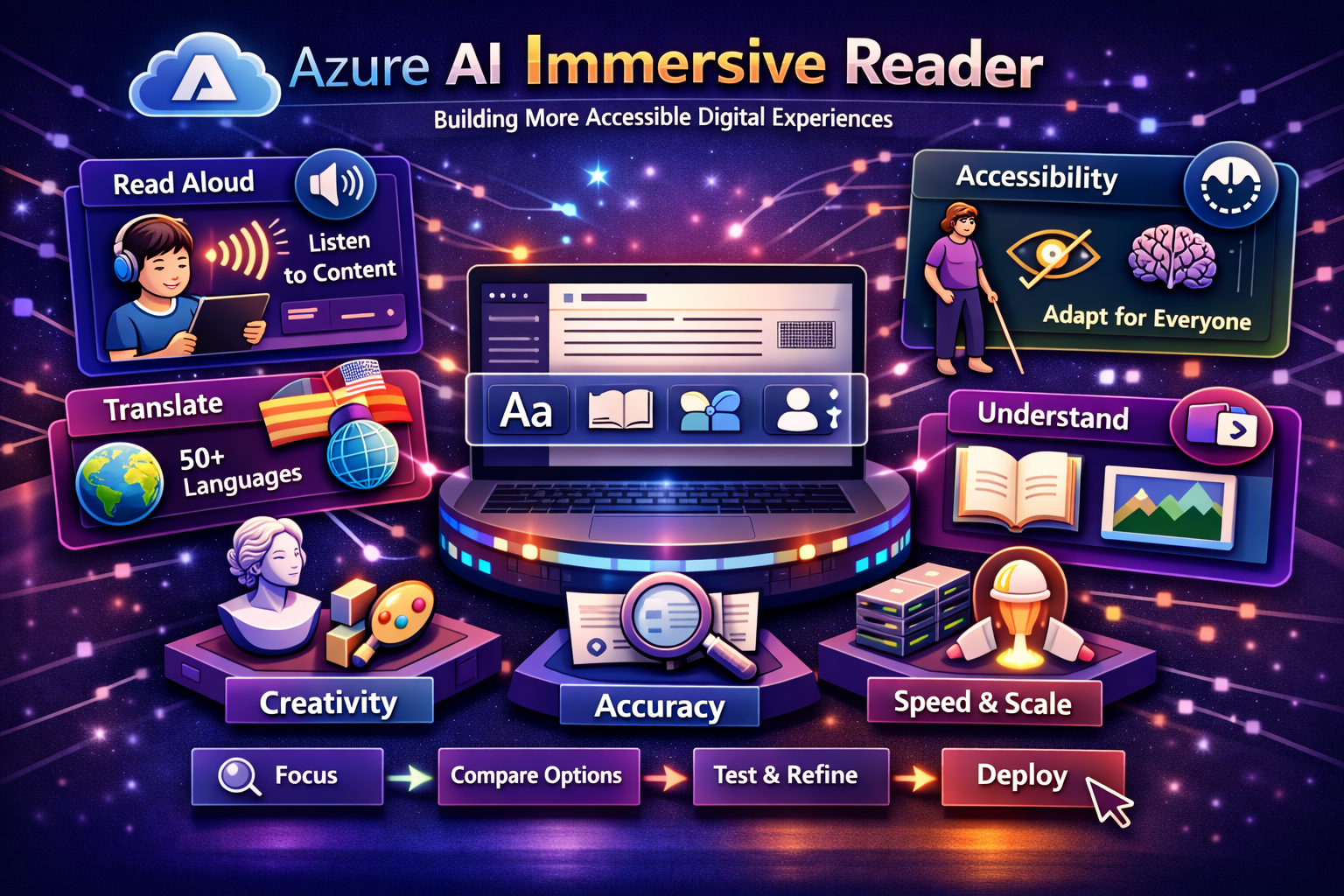
Azure AI Immersive Reader is a Microsoft Azure service that allows developers to embed a specialized reading experience into their applications using the same core technology that supports accessibility experiences in Microsoft products such as Word and OneNote. Its purpose is not simply to display text differently, but to reduce reading barriers and help users process written content more effectively.
This makes Immersive Reader especially important in digital environments where people must learn, work, read instructions, consume information, or interact with written content quickly and accurately. Instead of expecting every user to adapt to a standard text interface, Azure AI Immersive Reader allows the experience itself to adapt to different reading needs and learning styles.
Why Accessible Reading Experiences Matter
Accessibility is no longer a niche design concern. It is a core requirement for modern digital platforms. Organizations increasingly serve users with diverse reading abilities, language backgrounds, cognitive preferences, and accessibility needs. When digital content is difficult to read, it creates friction, lowers comprehension, increases fatigue, and reduces participation.
Azure AI Immersive Reader matters because it helps organizations remove those barriers in a practical way. It supports more equitable access to information by making text easier to follow, easier to hear, easier to translate, and easier to understand. In education, enterprise software, public services, and customer-facing digital products, this can significantly improve usability and inclusion.
Core Capabilities of Azure AI Immersive Reader
Azure AI Immersive Reader includes a broad set of features that support reading accessibility, comprehension, and multilingual understanding.
-Read Aloud: Converts text into spoken audio so users can listen to content instead of relying only on visual reading.
-Text Formatting Controls: Allows users to change text size, spacing, font, and visual layout to improve readability and reduce visual crowding.
-Line Focus: Helps readers focus on one line, multiple lines, or a smaller reading area at a time, improving concentration and reducing distraction.
-Parts of Speech Highlighting: Makes it easier to understand grammar and sentence structure by identifying nouns, verbs, adjectives, and related language elements.
-Syllable Support: Breaks words into syllables to support decoding and reading development.
-Translation and Language Support: Helps users translate text and understand content across a large number of supported languages.
-Picture Dictionary: Supports vocabulary comprehension by providing visual reinforcement for selected words.
-Math and Structured Content Support: Can be used with supported content types such as MathML in educational and technical reading experiences.
From Accessibility Feature to Experience Strategy
The true value of Azure AI Immersive Reader is that it changes accessibility from an optional add-on into a design strategy. Many organizations still think about accessibility only as a compliance requirement or a final usability adjustment. Immersive Reader supports a different mindset. It allows organizations to build reading support directly into the user journey from the beginning.
This matters because digital content is central to how people learn, complete tasks, understand policies, review instructions, and access services. When reading accessibility is built into the platform, users do not need a separate accommodation process just to engage with basic information. The platform itself becomes more supportive and inclusive by design.
How Immersive Reader Improves Reading Comprehension
Reading difficulty is not always caused by a lack of effort or intelligence. It can be influenced by visual density, line tracking, unfamiliar vocabulary, language barriers, or learning differences. Azure AI Immersive Reader addresses these challenges by reducing visual overload, supporting audio reinforcement, simplifying focus, and giving users more control over how content is presented.
This creates a more adaptable reading environment. A user who struggles with dense paragraphs can increase spacing and use line focus. A language learner can translate text and listen to it read aloud. A student can break down unfamiliar words through syllables and picture support. These changes may seem small individually, but together they can make digital content significantly easier to understand.
Key Business and Education Use Cases
Educational Platforms and Learning Applications
Azure AI Immersive Reader is especially valuable in education, where reading comprehension and equitable access to content are central to student success. Schools, edtech providers, and learning platforms can use it to support students with different reading levels, learning needs, and language backgrounds in a consistent and scalable way.
Public Sector and Citizen Services
Government portals and public service platforms often contain important information that must be understandable to a broad and diverse population. Immersive Reader can help make digital forms, instructions, guidance documents, and informational content more accessible to citizens who benefit from reading support, translation, or simplified visual presentation.
Enterprise Knowledge and Internal Communications
In enterprise environments, employees work with policies, training content, internal documentation, onboarding materials, and operational instructions every day. Azure AI Immersive Reader can improve access to this information by making enterprise knowledge easier to read and understand, especially for global teams and employees with diverse accessibility needs.
Customer-Facing Digital Experiences
Customer portals, support websites, content platforms, and digital product experiences can all benefit from more inclusive reading support. When customers can better understand instructions, help content, policies, and product information, usability improves and support friction may decrease.
Language Learning and Multilingual Access
Azure AI Immersive Reader is also valuable for language learners who need help understanding unfamiliar vocabulary, sentence structure, pronunciation, and translated meaning. By combining reading assistance and translation features, it creates a more supportive experience for users working across languages.
Accessibility by Design in Modern Applications
One of the most important ideas behind Azure AI Immersive Reader is that accessibility should not depend entirely on external tools or specialized workarounds. Instead, it should be part of the digital product itself. Embedding Immersive Reader allows organizations to offer reading assistance directly within the application where the content already lives.
This improves continuity and user experience. Rather than copying content into another tool or relying on the user to find separate accessibility support, the reading assistance appears in the context of the task. That makes accessibility more practical and more likely to be used consistently.
How Azure AI Immersive Reader Fits into the Microsoft Ecosystem
Azure AI Immersive Reader is most effective when viewed as part of a broader Microsoft accessibility and AI strategy. It focuses specifically on reading support, but its value increases when it is used alongside other Azure and Microsoft services in digital experience design.
-Azure AI Translator: Extends multilingual access when organizations need broader language translation support across their content experiences.
-Azure AI Speech: Complements read-aloud and voice-oriented interaction scenarios where spoken access to information is important.
-Azure AI Language: Supports text understanding, summarization, and language-based processing in broader intelligent application architectures.
-Azure AI Foundry: Provides a larger platform context for building intelligent applications that also prioritize accessibility and inclusive design.
-Microsoft 365 Experiences: Reflect the same broader accessibility vision seen in products such as Word and OneNote, reinforcing familiarity for many users.
-Web and Mobile Applications: Benefit from Immersive Reader as an embeddable experience that can improve the usability of content-rich interfaces.
Architecture and Integration Considerations
Azure AI Immersive Reader is designed to be integrated into applications rather than used as a separate standalone content platform. This means organizations should think carefully about where reading support is most valuable in the user journey. Common integration points include lesson content, knowledge articles, help pages, instructions, forms, reports, document viewers, and internal portals.
From an architectural perspective, this is valuable because the service can enhance content accessibility without forcing a full redesign of the application. Teams can preserve their core application structure while adding a richer reading layer where it creates the greatest benefit. This makes integration more practical for both new and existing digital products.
Accessibility, Inclusion, and User Trust
Accessibility is closely tied to trust. Users are more likely to engage with digital systems when those systems support their needs instead of creating avoidable barriers. Azure AI Immersive Reader helps organizations demonstrate that accessibility and inclusion are part of the product experience, not only a compliance checklist.
This is especially important for organizations that serve students, employees, citizens, customers, or communities with widely varying abilities and backgrounds. A more accessible reading experience can improve participation, reduce frustration, and reinforce the idea that the digital experience was designed with real users in mind.
Best Practices for Adopting Azure AI Immersive Reader
-Start with High-Value Content Journeys: Focus on the areas where users most depend on reading comprehension, such as learning content, instructions, policies, or help experiences.
-Design for Diverse User Needs: Consider emerging readers, multilingual users, and people with learning differences when deciding where to integrate the service.
-Embed It Where Reading Happens: Make Immersive Reader available directly within the application flow instead of treating accessibility as a separate destination.
-Combine with Broader Accessibility Practices: Use Immersive Reader as part of a larger inclusive design approach rather than as the only accessibility feature.
-Support User Awareness: Make the feature visible and easy to launch so users know reading assistance is available when they need it.
-Review Content Quality Too: Better accessibility is strongest when reading support is paired with clear writing, good information design, and well-structured content.
Common Challenges Organizations Should Address
One common challenge is assuming that accessible reading support is only relevant in education. In reality, any organization that delivers digital content to a diverse audience can benefit from Immersive Reader. Internal knowledge systems, public service platforms, enterprise learning tools, and customer-facing applications can all improve usability through better reading support.
Another challenge is treating accessibility as a secondary feature instead of a product principle. Immersive Reader can create significant value, but its impact is strongest when it is part of a broader commitment to inclusive design, content clarity, and thoughtful user experience. The service improves reading access, but organizations still need to design with accessibility in mind from the beginning.
The Strategic Value of Accessible Reading Support
Azure AI Immersive Reader delivers strategic value because it helps organizations create digital experiences that are more inclusive, more human-centered, and more effective. It improves access to information for users who might otherwise struggle with reading-heavy interfaces and supports broader goals around accessibility, inclusion, and equitable digital participation.
For many organizations, this means better outcomes in learning, stronger engagement in digital services, and a more inclusive approach to platform design. Accessible reading support is not only a usability improvement. It is a meaningful part of digital trust and experience quality.
The Future of Accessible Digital Experiences
The future of digital experience design will increasingly depend on how well platforms adapt to the needs of different users. Accessibility, language support, multimodal interaction, and personalized interfaces will all play a larger role in making digital systems more inclusive and effective. Azure AI Immersive Reader is well positioned in this future because it addresses one of the most important and universal challenges in digital interaction: reading comprehension.
As organizations continue modernizing applications across education, enterprise, and public services, tools that improve reading accessibility will become even more important. Immersive Reader represents a practical step toward that goal by making inclusive reading support easier to embed into everyday digital platforms.
Conclusion
Azure AI Immersive Reader is helping organizations build more accessible digital experiences by embedding reading support directly into applications where users learn, work, and access information. With features such as read aloud, translation, line focus, text spacing, syllable support, and grammar highlighting, it provides a practical way to improve comprehension and inclusion across diverse audiences. For organizations that want to make digital content easier to understand and more equitable to access, Azure AI Immersive Reader represents a powerful and thoughtful capability within the Microsoft Azure ecosystem.