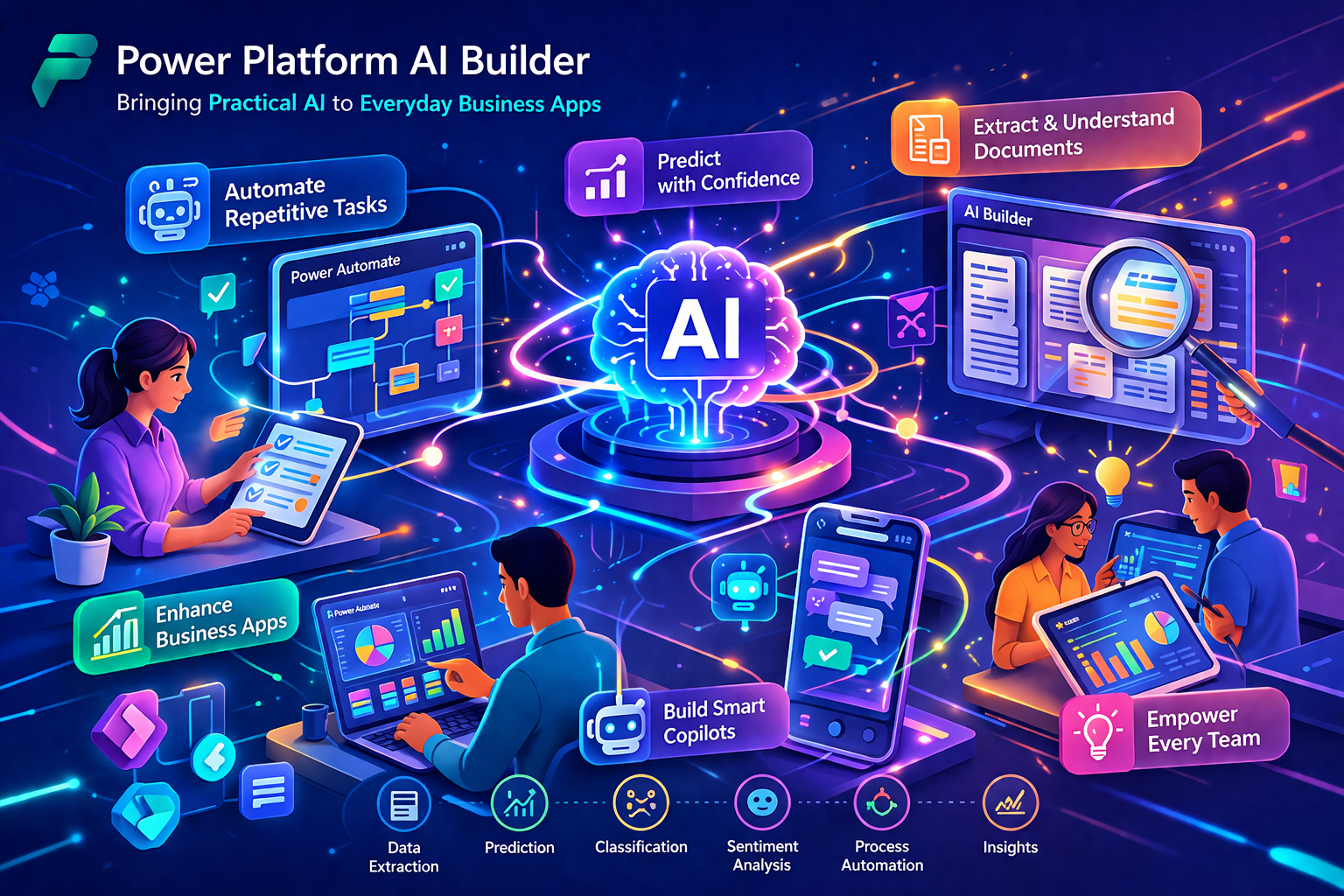
Understanding Power Platform AI Builder
Power Platform AI Builder is a Microsoft Power Platform capability designed to help organizations create and use AI models in a low-code environment. Rather than requiring teams to build machine learning systems from the ground up, AI Builder allows users to apply prebuilt models for common scenarios or train custom models that reflect their own business data and processes. This makes AI more accessible to business teams, developers, and solution builders who want to improve applications and workflows without managing a full data science stack.
AI Builder is especially valuable because it is embedded directly into the Power Platform ecosystem. Instead of treating AI as a separate specialist initiative, organizations can bring intelligence into the apps and automations they already build with Power Apps and Power Automate. This creates a more practical path to AI adoption, where business users and makers can solve real process problems with tools that fit their existing platform strategy.
Why AI Builder Matters for Everyday Business Solutions
Many organizations do not need highly experimental AI projects as their first step. They need practical solutions that reduce manual work, improve information handling, accelerate decisions, and make business applications more useful. Power Platform AI Builder matters because it addresses those everyday needs directly. It allows teams to apply AI where work already happens, such as forms, approvals, document processing, text analysis, business predictions, and operational workflows.
This is an important shift because AI adoption often stalls when it is treated as something abstract, expensive, or disconnected from business operations. AI Builder helps close that gap by making AI part of the low-code application experience. For many organizations, that means the value of AI becomes visible not in research labs, but in apps and automations that solve practical business problems.
Core Capabilities of Power Platform AI Builder
Power Platform AI Builder includes a broad set of capabilities that support document processing, text understanding, image recognition, structured prediction, and workflow automation across low-code solutions.
-Prebuilt AI Models: Ready-to-use models for common business scenarios such as invoice processing, receipt processing, business card reading, text recognition, ID reading, sentiment analysis, language detection, key phrase extraction, and other widely applicable tasks.
-Custom AI Models: Trainable models for business-specific scenarios such as category classification, entity extraction, document processing, object detection, and prediction.
-Power Apps Integration: Allows organizations to embed AI directly into apps so users can interact with intelligence in forms, mobile experiences, and business interfaces.
-Power Automate Integration: Makes it possible to use AI outputs inside automated workflows, approvals, document routing, notifications, and downstream process logic.
-Low-Code Model Lifecycle: Supports model creation, training, publishing, and operational use with a maker-friendly experience.
-Business-Focused AI Experience: Aligns AI with common operational scenarios instead of requiring custom model engineering for every use case.
Prebuilt and Custom Models for Different Business Needs
One of the most useful aspects of AI Builder is the balance between prebuilt and custom models. Prebuilt models are ideal when the scenario is common across many organizations and can be solved quickly with out-of-the-box intelligence. This helps teams move fast and begin using AI without collecting large datasets or building custom training pipelines.
Custom models are important when the business has unique data, specialized terminology, or process-specific requirements. In those situations, organizations can train models that better reflect their own workflows and business context. This combination makes AI Builder flexible enough for quick wins and tailored enough for more specialized low-code scenarios.
How AI Builder Fits into Power Apps
In Power Apps, AI Builder allows teams to bring intelligence directly into business applications used by employees, customers, or operational staff. An app can scan a business card, read a receipt, recognize text from an image, classify content, extract entities, or process forms as part of the user experience. This reduces the need for users to switch between disconnected systems and makes AI feel like a natural extension of the application itself.
This matters because many business tasks begin at the application layer. Field teams enter data, finance teams review documents, service teams process requests, and operational users interact with apps as part of daily work. When AI is built into those apps, productivity improves and decisions can happen faster and with more context.
How AI Builder Fits into Power Automate
AI Builder is equally powerful in Power Automate, where AI can become part of business process automation. A workflow can classify incoming text, extract data from documents, process invoices, detect objects in images, or apply predictions to operational records before routing the result into downstream systems. This makes AI Builder especially useful in scenarios where businesses want to reduce manual review and embed intelligence into automation.
In practical terms, this means organizations can create end-to-end low-code workflows that do more than move data from one place to another. They can interpret information, extract meaning, and take more intelligent action based on what the content or record actually contains.
Document Processing as a High-Value Use Case
Document-centric work remains one of the strongest use cases for AI Builder. Many organizations still rely on invoices, receipts, identity documents, forms, and business paperwork that are slow to process manually. AI Builder helps reduce that burden by extracting useful information from documents and making it available to apps and automations.
This is especially valuable in finance, operations, procurement, HR, and administrative workflows where large volumes of documents must be reviewed, validated, and routed efficiently. By bringing document intelligence into low-code solutions, organizations can save time and reduce repetitive manual effort without requiring complex custom AI development.
Text Intelligence for Business Processes
Text is one of the most common types of unstructured business data, and AI Builder helps organizations work with it more effectively. Sentiment analysis, language detection, key phrase extraction, category classification, and entity extraction can all support better understanding of customer feedback, emails, support tickets, operational notes, and other business content.
This creates practical opportunities in customer service, service routing, internal operations, and communications-heavy workflows. Rather than reading every piece of text manually, businesses can use AI to identify patterns, classify requests, detect important details, and make downstream processes more responsive.
Prediction and Decision Support in Low-Code Solutions
AI Builder also supports prediction scenarios that help organizations apply historical data to future decisions. This can be useful when teams want to estimate likely outcomes, prioritize actions, or identify patterns that affect business performance. In a low-code context, this means predictive intelligence can become part of an app or automation instead of remaining limited to a separate analytics environment.
This is important because many business decisions happen inside operational systems, not only inside data science tools. Bringing predictive capability closer to the business workflow makes it easier for organizations to act on AI insights in a timely and practical way.
How AI Builder Fits into the Microsoft AI Ecosystem
Power Platform AI Builder is most effective when seen as part of a broader Microsoft AI strategy. It serves a different role than Azure-native AI engineering platforms by focusing on practical low-code implementation, but it can still complement more advanced Microsoft AI services.
-Power Apps: Uses AI Builder to bring intelligence directly into low-code applications used across business functions.
-Power Automate: Uses AI Builder inside flows to automate processing, extraction, classification, and predictions.
-Microsoft Dataverse: Acts as an important business data foundation for many AI Builder scenarios, especially custom model training and operational integration.
-Microsoft Copilot Studio: Extends conversational and agent-oriented experiences where low-code AI and automation intersect.
-Azure Machine Learning: Can complement AI Builder in scenarios that require more advanced model development, while Power Apps can also consume models through Power Fx in supported scenarios.
-Azure OpenAI and Azure AI Services: Support broader enterprise AI architectures where low-code business apps are only one part of the overall solution landscape.
Operational Simplicity and Low-Code Adoption
One of the biggest strengths of AI Builder is operational simplicity. Many organizations want AI capability, but they do not want every AI scenario to become a custom engineering project. AI Builder lowers the barrier by giving makers and low-code developers a more guided path to adding intelligence to business solutions.
This simplicity is one of the reasons AI Builder is so practical for organizations that want to scale AI gradually. Instead of requiring every team to hire specialists or build ML pipelines from scratch, it allows business-led teams to solve focused process problems with AI in a more controlled and accessible way.
Governance, Capacity, and Planning Considerations
As AI Builder adoption grows, governance becomes increasingly important. Organizations should think about where AI models are used, how outputs are validated, which environments consume capacity, and how AI usage aligns with broader Power Platform governance. Monitoring, environment strategy, and administrative oversight all matter when low-code AI becomes part of everyday business operations.
Capacity planning is also becoming more important because Microsoft is transitioning AI Builder consumption toward Copilot Credits for many scenarios. This means organizations should treat AI Builder not only as a feature set, but also as an operational capability that requires planning around licensing, scale, and environment usage over time.
Key Business Use Cases
Automating Document-Heavy Workflows
Organizations can use AI Builder to process invoices, receipts, forms, and other business documents inside apps and flows. This helps reduce manual extraction, improve routing, and speed up approvals or downstream data entry processes.
Improving Customer and Service Operations
AI Builder can classify feedback, extract entities from requests, and analyze text sentiment to support better customer service, issue triage, and operational response. This helps businesses act more quickly on communications that would otherwise require manual review.
Enhancing Mobile and Field Apps
In Power Apps, AI Builder can add intelligence to field and mobile scenarios such as scanning cards, recognizing text, processing forms, and supporting image-based workflows. This is useful for frontline operations where speed and simplicity matter.
Supporting Business Prediction Scenarios
Teams can apply AI Builder prediction models to identify likely outcomes and improve prioritization in operational processes. This is especially valuable when users need guidance directly inside the app or flow where the decision occurs.
Making Low-Code Solutions More Intelligent
More broadly, AI Builder allows organizations to move from simple automation to smarter automation. It helps low-code solutions understand text, documents, images, and records more effectively so business processes become more adaptive and useful.
Best Practices for Adopting Power Platform AI Builder
-Start with a Clear Business Process: Focus on workflows where manual review, repetitive extraction, or basic decision support creates measurable friction.
-Use Prebuilt Models First: Begin with ready-to-use capabilities when they match the scenario, then move to custom models when business specificity requires it.
-Design AI Into the Workflow: Treat AI as part of the business process, not as a disconnected feature added at the end.
-Validate AI Outputs: Keep appropriate review steps in place for high-impact decisions, sensitive documents, or regulated processes.
-Plan Capacity and Governance Early: Monitor environment usage, administrative controls, and licensing implications as AI adoption increases.
-Scale Through Reuse: Build patterns that can be reused across multiple apps and flows instead of solving each business problem from scratch.
Common Challenges Organizations Should Address
Although AI Builder lowers the barrier to AI adoption, success still depends on good process design and realistic expectations. Common challenges include poor source data quality, unclear business rules, overreliance on AI outputs without validation, and underestimating the need for governance when multiple teams begin using AI in low-code environments.
Another challenge is assuming that low-code means no design discipline is required. In reality, the best AI Builder solutions are the ones where the business process is clearly understood, the data is suitable, and the AI feature is connected to a meaningful outcome. The technology makes AI more accessible, but thoughtful design still matters.
The Strategic Value of AI Builder
Power Platform AI Builder delivers strategic value by making AI practical for a much wider part of the organization. It allows businesses to move beyond experimentation and bring intelligence into the applications and workflows where daily work already happens. This helps create value faster, especially for organizations that want to improve operations without launching large custom AI engineering initiatives for every use case.
For many enterprises, this makes AI Builder an important part of digital transformation. It democratizes access to useful AI capabilities while still fitting into the broader Microsoft ecosystem for governance, automation, and business application development.
The Future of Low-Code AI in Power Platform
The future of low-code AI is moving toward deeper integration between business apps, automation, copilots, prompts, and intelligent agents. As the Power Platform continues evolving, AI Builder will remain important as a practical bridge between advanced Microsoft AI capabilities and the everyday business solutions built by makers and low-code teams.
This direction matters because the next stage of enterprise AI will not be driven only by specialist teams. It will also be shaped by how effectively organizations can embed intelligence into ordinary operational experiences. AI Builder is well positioned to support that shift by making AI part of how business apps and workflows are designed from the start.
Conclusion
Power Platform AI Builder is bringing practical AI to everyday business apps by making it easier to apply intelligence in Power Apps and Power Automate without requiring advanced machine learning expertise. With prebuilt and custom models for documents, text, images, and predictions, it helps organizations automate work, improve decisions, and make low-code solutions more capable. For businesses looking to add useful AI to the tools and processes they already rely on, AI Builder represents one of the most accessible and operationally relevant paths within the Microsoft ecosystem.